Need to refund tickets? You can easily refund your ticketholders directly from your Smartboard. Quickly, securely, and in just a few clicks. Whether it’s a single ticket or multiple ones, Shotgun gives you full control over the process.
In this article
Refund a ticket
Step 1: Access your orders tab
From your Events homepage, click on your Event > Orders tab
Step 2: Select the orders to refund
Option A: Refund one by one
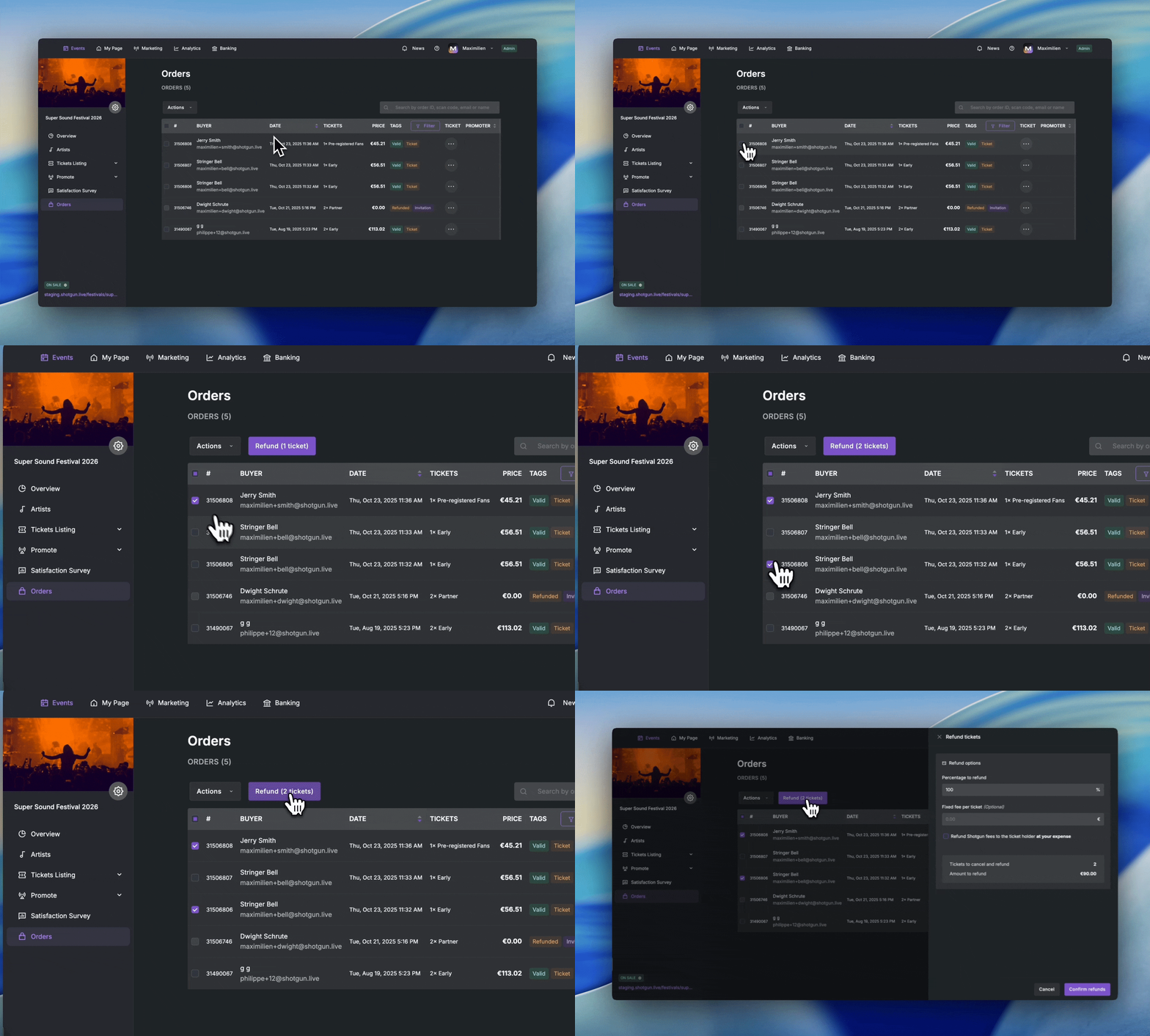
Option B: Refund everyone at once
Option C: Refund via list
Need to refund a specific ticketholders group ? You can refund everyone from a list of Order IDs, Scan codes or emails.
- Go to Orders > Actions > Select with a list
- Paste your list of order
💡 To download your list of participants 👉 How can I access the participants list ?
💡 This method is ideal when you make bulk refunds after sharing a form with your customers.
Step 3: Define refund options
You can choose to refund the full ticket amount or only part of it by setting a refund percentage. You can also decide whether to include Shotgun fees in the refund or not.
⚠️ By default, Shotgun service fees are not refunded. If you want to cover them yourself, check the Refund Shotgun fees box. If you leave it unchecked, the buyer will not receive the fees back.
💡 Not enough funds to refund fees? Check out this article 👉 Add funds to your Shotgun account
💡 In case of partial refund, the amount retained will automatically appear in your event balance. Go to Banking > Balance, select your event, and you’ll see it listed as a positive balance.
Step 4: Confirm the refund
Click Refund and enter the 4-digit code sent to your email address.
This security step ensures no refunds are made by mistake.
⚠️ Processing may take a few minutes if you’re refunding many orders.
You’ll see the refunded orders appear directly in your Order list once completed.
What fans see
When you issue a refund, buyers automatically receive a confirmation email from our payment provider. On the Shotgun app, their ticket will appear as refunded.
💡 Depending on their bank, it may take a few business days for the refund to appear in your buyer’s account. If the refund still hasn’t arrived after 15 days, invite them to contact our customer service team.